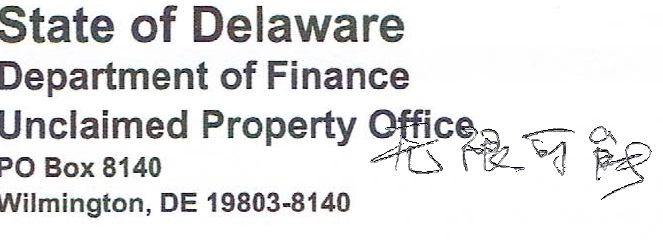
For signature stamp in PDF, the scanned file normally would result in a white background, obscuring the background text or image.
To avoid the white background in the stamp, follow the steps below.
- Scan the image

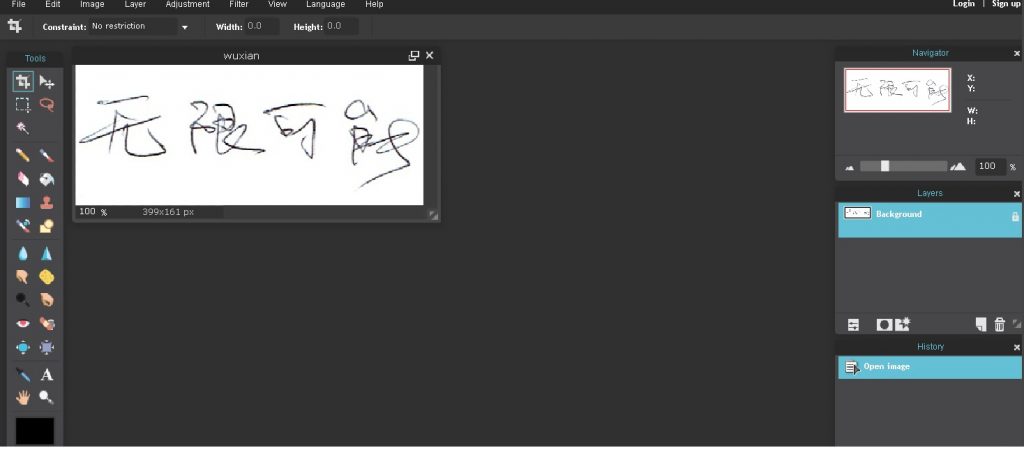
- Open pixlr editor online

- Select the saved image from the computer
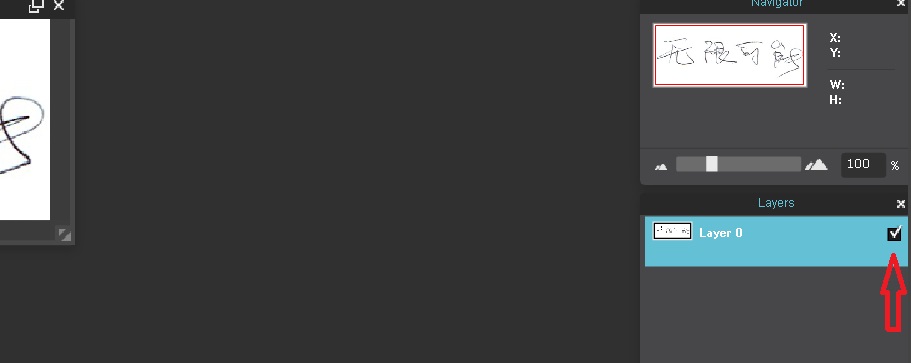
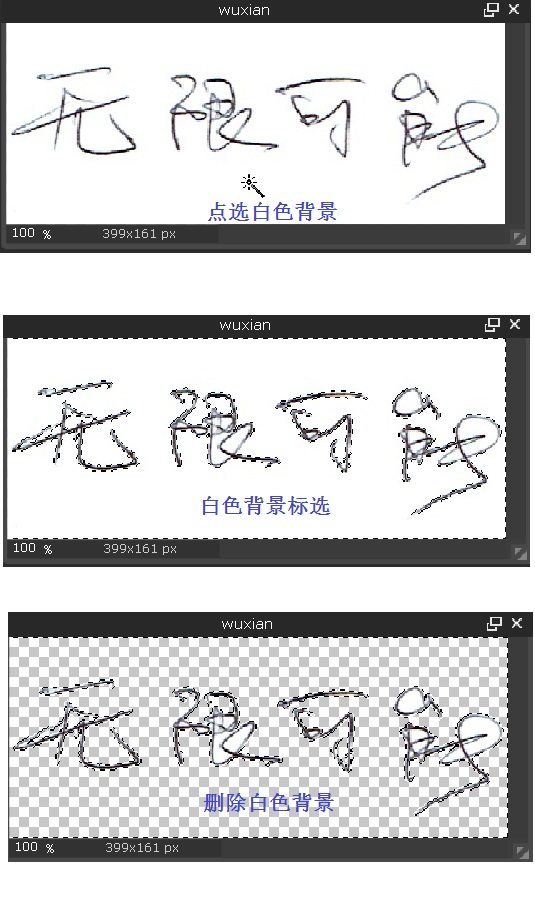
- Double click the lock icon until a tick appears
- Select wand tool
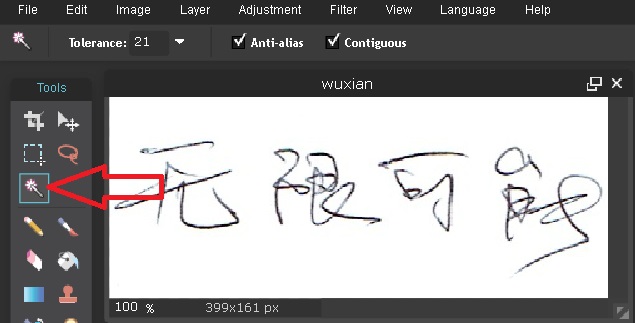
- Select the white background and delete it
- Save it in png format
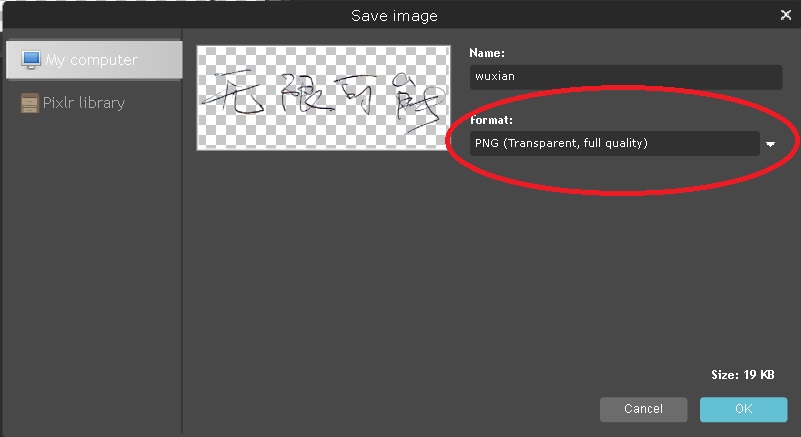
- png format

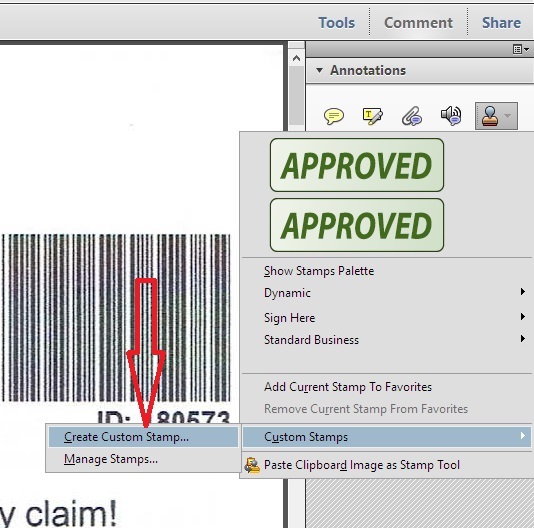
- Open any pdf file with adobe acrobat, select stamp/Custom Stamps/Create Custom Stamp
- The following window will appear, click Browse…
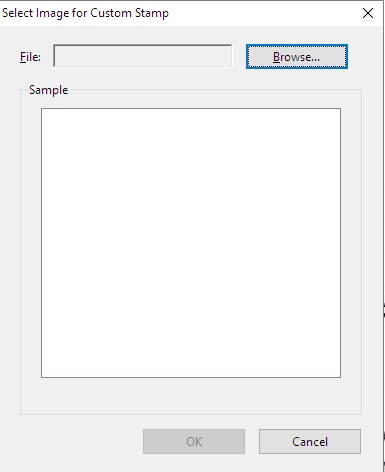
- Change the file type to png
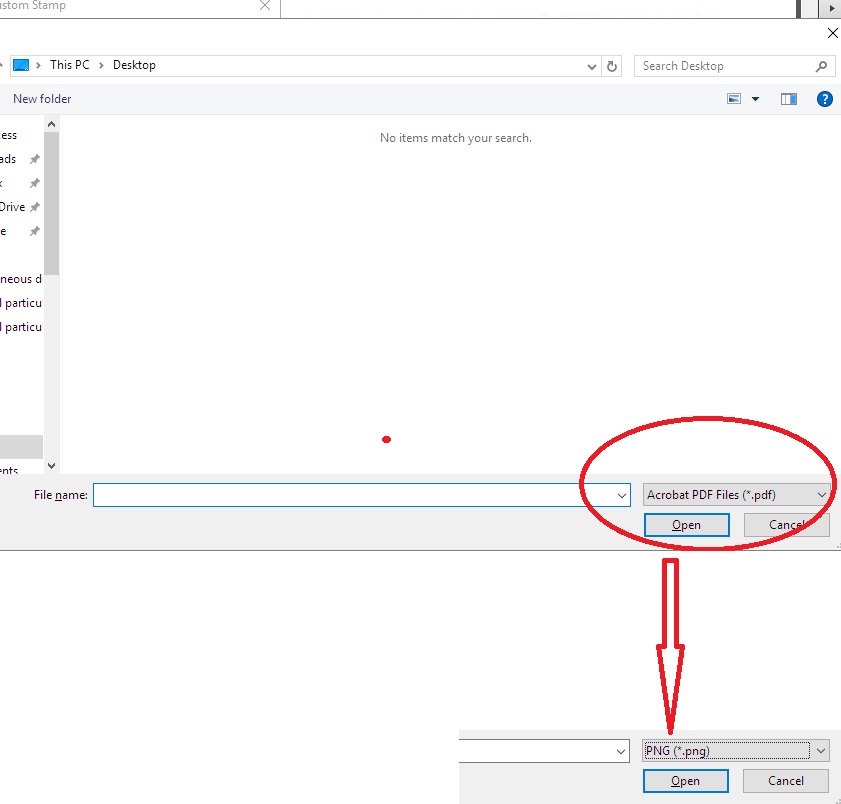
- and select the saved png file
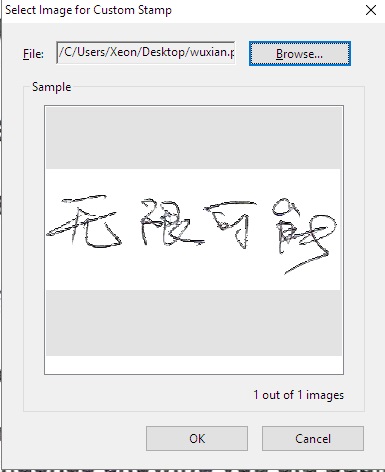
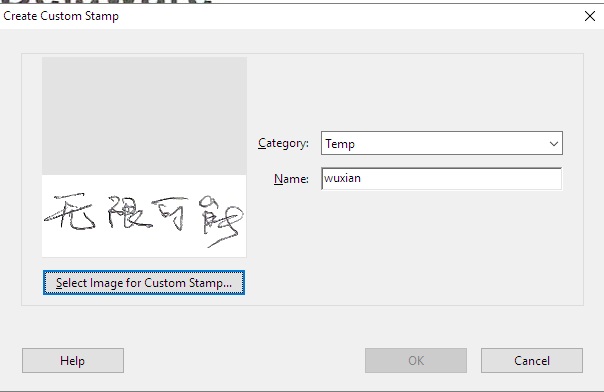
- Fill in the Category and Name
- A new category will appear below the stamp icon
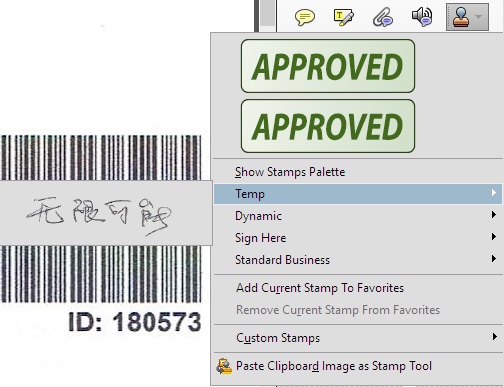
- Trial of transparent stamp